
Imagine being able to shop without touching your phone, tablet, or laptop.
That’s exactly what Amazon’s voice-controlled shopping makes possible. With simple voice commands, you can search for products, place orders, and even receive suggestions tailored to your preferences. Amazon Alexa transforms into your personal shopping assistant, helping you find what you need quickly and effortlessly.
2. Overview
Powered by AI, Alexa voice shopping is revolutionizing how users shop online by offering a hands-free and personalized experience. As smart home devices become more common, voice shopping continues to shape the future of e-commerce, making online purchases smoother, faster, and more intuitive.
3. What Is Amazon Alexa Voice Shopping?
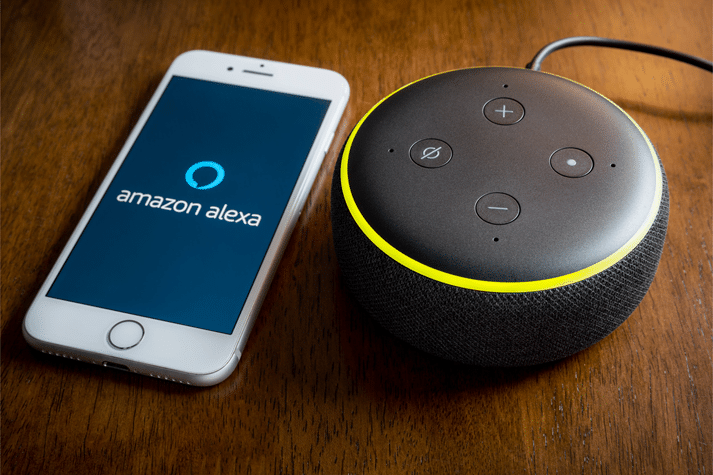
Amazon Alexa voice shopping allows customers to buy products directly from Amazon using voice commands through devices like Amazon Echo. These devices function as your virtual shopping assistant, enabling you to search for items, add them to your cart, and complete purchases—all without visiting the Amazon website or app.
4. Where Amazon Alexa Shopping Is Available
Alexa’s voice shopping feature works across several Amazon-supported devices, including:
- Amazon Echo (Echo, Echo Dot, Echo Show, Echo Spot)
- Amazon Tap
- Amazon Fire TV
- Amazon Fire Tablets
- Amazon App for iOS and Android
Prime members can enjoy seamless voice purchasing through 1-Click ordering. Non-Prime users can still access voice shopping via the Amazon app but must complete checkout manually.
5. Key Features of Amazon Alexa Voice Shopping
a. Voice Commands for Shopping
Alexa enables hands-free ordering through simple spoken instructions. Whether you want to add something to your cart or buy a specific item, Alexa follows your commands instantly. For example, “Alexa, order AA batteries,” prompts her to locate the product, confirm the details, and place the order—perfect for multitaskers or those with limited mobility.
b. Personalized Recommendations
Alexa analyzes your purchase history and shopping behavior to suggest products you may like. If you often buy organic food, Alexa might recommend new organic snacks or related items. These personalized suggestions enhance user satisfaction and help you discover relevant products easily.
c. Order Tracking and Management
With voice-enabled tracking, you can ask Alexa about your deliveries anytime. Commands like “Alexa, where’s my package?” or “What are my recent orders?” give you real-time updates, eliminating the need to manually check the app or email notifications.
d. Reordering Favorites
Alexa makes restocking your essentials simple. Just say, “Alexa, reorder paper towels,” and she will add the exact product you previously purchased. This feature is especially convenient for household necessities and frequently consumed items.
e. Deals and Discounts
Alexa keeps you informed of Amazon’s latest discounts. When you ask, “Alexa, what are today’s deals?” she highlights current promotions and offers. This helps shoppers save money and take advantage of time-sensitive deals, ultimately improving your purchasing decisions.
6. How Alexa Voice Shopping Works
Setting up Amazon voice shopping involves two main steps.
First, you enter your personal details—including name, address, and payment information—into the Alexa app. Prime users simply download the app, connect their Echo device, and link it to Wi-Fi.
Second, you can begin placing orders using voice commands. You may also enable a Voice Code to prevent unintentional purchases.
7. Enabling Voice Purchasing on Alexa
To activate voice ordering:
- Open the Alexa app
- Go to Settings
- Select Account Settings
- Tap Voice Purchasing
- Switch the feature on
8. Setting Up an Alexa Voice Code
To protect against accidental orders:
- Open the Alexa app
- Go to Settings
- Choose Account Settings
- Select Voice Purchasing
- Tap Purchase Confirmation
- Enable Voice Code
- Create a four-digit code when prompted
This code must be spoken when confirming purchases.

9. How to Place an Order Using Alexa
To shop using your voice:
- Wake Alexa (“Hey Alexa”)
- Say what you want to order
- Alexa will confirm product details and show options if needed
- Say “Checkout order” to complete the purchase
- Track delivery anytime by asking Alexa for updates
10. How to Cancel a Purchase
If you placed an incorrect order, you can cancel it within 30 minutes if 1-Click ordering was used.
Steps:
- Sign in to your Amazon account
- Go to Your Orders
- Select Cancel Items
- Choose the items and confirm cancellation
11. How to Shop Deals Using Alexa
To explore deals:
- Wake Alexa
- Ask for deals (“What are today’s deals?”)
- Listen to available discounts
- Ask for more details or request Alexa to add the item to your cart
- Confirm the purchase
This is a fast and effortless way to browse and shop discounted items.
12. How to Reorder Items
To repurchase something you’ve bought before, simply ask Alexa to reorder it. She pulls it from your past orders and completes the process instantly. Sellers can benefit significantly from these repeat purchases by offering virtual bundles and boosting customer lifetime value.
13. How to Delete Alexa History
To clear your command history:
- Open the Alexa app
- Go to Settings
- Select Alexa Privacy
- Tap Review Voice History
- Delete your voice interactions
This keeps your recorded commands private and secure.
14. Conclusion
Amazon Alexa Voice Shopping represents a major evolution in online shopping by enabling effortless, hands-free purchases. From personalized suggestions to seamless reordering and deal alerts, Alexa enhances convenience at every step. For sellers, voice shopping opens massive opportunities as voice search continues to rise. With tools like Amazon Audio Ads and voice-optimized strategies, sellers can reach customers more effectively and stay ahead in a rapidly evolving market.